
Custom Camper photo Stickers – Full Color & made to mesure
Want to make your camper truly personal? At Camperprints, you can create full-color camper stickers using your own photo, fully custom and made to measure. Simply upload your image, adjust your design, and we’ll produce a high-quality, weatherproof sticker that stays vibrant for years, even through sun, rain, wind and long road trips.
💡 Tip: For the best experience, use the design tool on a laptop or desktop. A larger screen makes designing much easier.
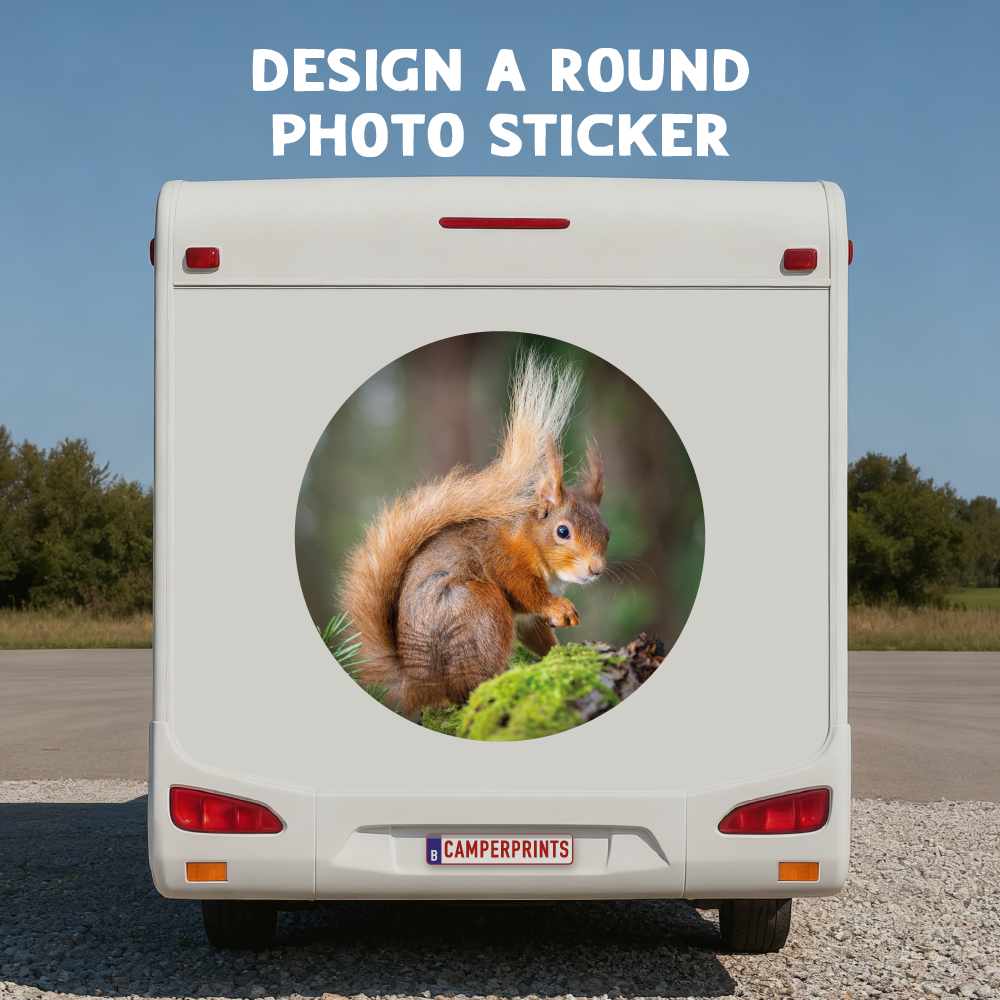
Design a Round Photo Sticker
From €31,95

Design a Square Photo Sticker
From €31,95

Design a Rectangular Photo Sticker
From €33,95
Watch our step-by-step video to create your own custom camper sticker with your own photo
You can choose between a round sticker, a square sticker with rounded corners, or a rectangular sticker with rounded corners.
Our photo stickers are crafted specifically for campers, campervans, motorhomes, caravans, and more. Thanks to the protective laminate, they are scratch-resistant, UV-resistant, and perfectly suited for outdoor use.
For larger stickers, make sure to use a high-quality photo. We manually check every image before printing to ensure the best results.
Whether you want to print a beautiful travel photo, a personal design, a logo, or a special memory, a custom camper photo sticker makes your camper truly one of a kind.
Choose your size, upload your image, and we’ll take care of the rest!
How to Design Your Custom Photo Sticker
🚀 Step 1: Start Your Design
- Click the “Start Designing” button.
- The design tool will open in a new window.
- You’ll see an empty canvas where you can build your custom camper photo sticker.
🖼️ Step 2: Upload Your Photo
- Click “Images” → “Upload Image” in the left menu.
- Select a photo from your computer.
- Your image will appear directly on the canvas.
💡 Tip: Use a high-resolution photo to ensure a sharp, full-color print.
✍️ Step 3: Position and Scale Your Photo
- Click your photo to move, enlarge, reduce, or rotate it.
- Make sure the image stays within the cutting lines, anything outside the frame will be trimmed automatically.
- You can apply filters and/or add text if desired.
💡 Tip: Keep a small safety margin around the edge to avoid accidental trimming.
🎨 Step 4: Check Background & Size
- The grey border shows the exact dimensions of your sticker.
- Ensure that all elements stay within the boundary.
💡 Tip: Everything must stay inside the lines for a perfect final result!
🧾 Step 5: Review & Add to Cart
- Click “Preview” (top right) to see your sticker in full.
- Happy with the result? Click “Add to Cart.” (On phones & tablets, first click Save design to reveal the button.)
- Your design will be saved automatically and sent with your order.
📦 Step 6: Complete Your Order
- Go to your cart and review your product.
- Click “Checkout.”
- Enter your details and finalize your order.
💚 At Camperprints, we stand for high quality. We manually check every uploaded photo to ensure the sharpest result before printing. Then we produce and ship your custom sticker — ready to make your camper truly unique!
❓ Frequently Asked Questions
1. Can I edit my design later?
Yes. As long as you haven’t checked out yet, you can return to the design tool and make changes.
2. Which file formats can I upload?
JPEG or PNG with high resolution (minimum 1500 px) works best for full-color prints.
3. Can I use multiple photos?
For this product line, you can use one photo per sticker.
Want a collage? Email us at info@camperprints.be we’re happy to help!
4. How do I know if my photo is sharp enough?
Our team manually checks every photo before production.
Not sure? You can always contact us at info@camperprints.be
5. Will I see a preview of my sticker?
Yes. The Preview window in the editor shows exactly how your sticker will look.
6. Are the stickers weatherproof?
Absolutely. Our photo stickers are UV-resistant, waterproof, and built for long-term outdoor use.
7. Can I apply the sticker myself?
Yes! We provide clear application instructions on our installation guide page.
8. What tools do I need to apply the sticker?
A squeegee with felt is essential for smooth application. Always use the felt side for this type of sticker.
MEET US ON THE ROAD!
Find us on the road, follow us on social media and receive a 10% discount on your first vinyl sticker from our range. You are also welcome to take a look at the smallest printing company in the world and experience how we work.